

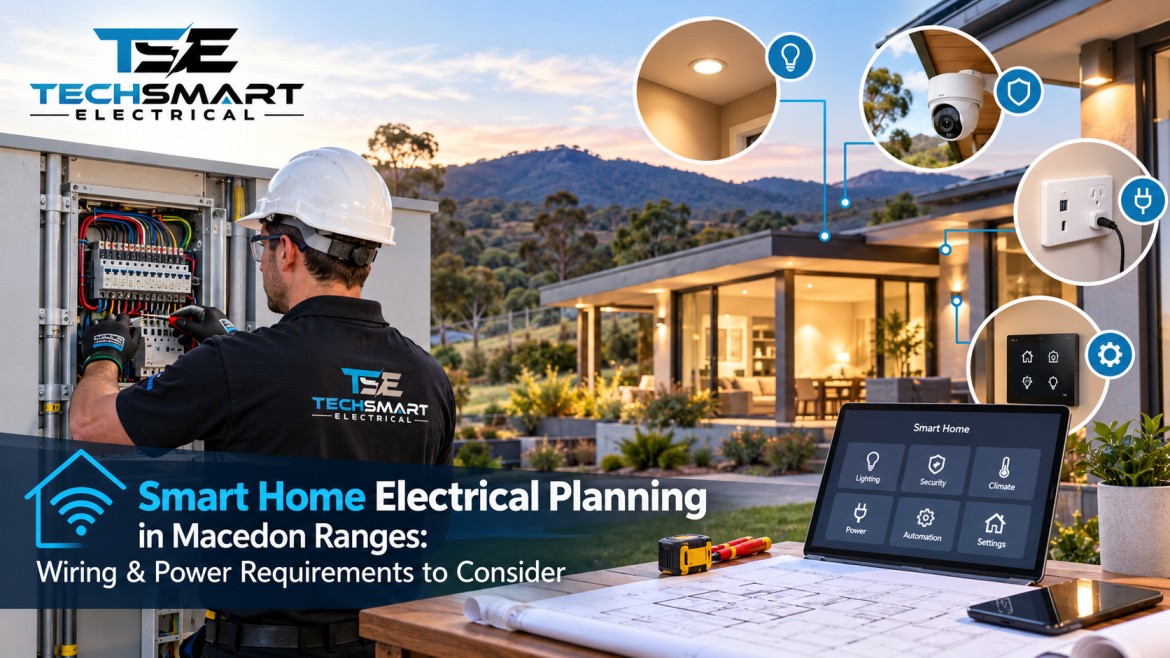
A smart home should make everyday life easier, safer and more comfortable. But before installing smart lights, automated blinds, connected security cameras or voice-controlled appliances, it is important to plan the electrical system behind them. The right wiring, power supply and network connections can make the difference between a reliable smart home and one that needs repeated adjustments.
For homeowners building, renovating or upgrading a property, working with a smart home electrician Macedon Ranges residents can consult for practical electrical planning helps ensure that today’s technology works properly and that future upgrades remain possible.
Homes throughout the Macedon Ranges can have different electrical requirements. A modern home in a residential estate may need a different setup from a renovated weatherboard house, a rural property with a detached shed or a larger home with several outdoor living areas. These differences affect cable routes, wireless coverage, circuit design and the location of power points.
This guide explains how to plan Smart Home Automation in Macedon Ranges, including smart home wiring, automation circuits, lighting controls, network equipment power and future electrical requirements. It also covers common mistakes, practical examples and the questions homeowners should ask before work begins.
The goal is simple: help you make informed decisions before walls are closed, fittings are installed and electrical changes become more complicated.
Smart technology relies on more than an internet connection. Behind each connected device is an electrical system that must provide suitable power, safe wiring and reliable control.
A smart lighting system, for example, might use connected switches, dimmers, wireless controllers or a central automation hub. Each option has different installation requirements. Some smart switches need a neutral conductor at the switch location, while others use different control methods. Compatibility depends on the specific equipment.
Planning early helps homeowners identify these requirements before selecting products.
Good planning can help you:
A qualified Macedon Ranges Electrician can assess the existing installation, identify practical limitations and help develop an electrical plan that suits the property and the intended technology.
Before choosing devices, consider how your household uses each room. Smart technology is most useful when it solves a real problem rather than adding unnecessary complexity.
Think about daily routines, the number of people living in the home, the areas that need lighting control and the devices that must remain connected.
Start with the locations where electrical and network requirements are most likely to affect the finished result.
For example, a family renovating a home may want hallway lights to turn on automatically at night. That decision affects more than the light fitting. It may influence sensor locations, switch arrangements, control compatibility and the route of the required cabling.
Write down what you want each room to do before choosing a particular automation platform. This keeps the electrical design focused on practical needs.
Consider what you may add over the next five to ten years. You might want more connected lighting, additional cameras, automated curtains, an electric vehicle charger or a home office in a different room.
Not every future device needs to be installed immediately. However, identifying likely requirements early can help an electrician assess whether additional conduits, cable routes, switchboard capacity or data connections should be considered during the initial work.
Smart home wiring is one of the most important parts of a dependable automation setup. Wireless controls are convenient, but many smart devices still require mains power, low-voltage wiring, data cabling or a combination of these.
The best approach depends on the building, selected products and how much control you want.
A planning assessment may include:
These are not interchangeable systems. Mains electrical wiring and communications cabling must be designed and installed according to their respective requirements, including appropriate separation and protection.
Some smart switches and dimmers require a neutral conductor at the switch location. Others may work without one, but their compatibility can vary with the lamp type, minimum load and control system.
This becomes important when renovating an older property. A conventional switch installation may not provide all the conductors required by a chosen smart control.
Before purchasing switches, confirm their technical requirements with the electrician or product manufacturer. It is usually easier to plan suitable wiring during renovation than to discover a compatibility problem after the walls have been painted.
Neither option is automatically best for every home.
| Requirement | Wired approach | Wireless approach |
|---|---|---|
| Reliability | Can provide dependable dedicated connections when properly designed | Depends on coverage, interference and device quality |
| Installation | Often easier during construction or major renovation | Can be practical in completed homes |
| Future changes | Depends on installed cabling and system design | Often easier to expand with compatible devices |
| Power | Many devices still require a power source | Battery-powered and mains-powered options are available |
| Network planning | Cable routes and equipment locations need early planning | Wireless coverage and access-point placement need planning |
A hybrid system may be suitable for homes that need wired network infrastructure but also want wireless sensors and smart devices.
The key is to select the control system and its wiring requirements together, rather than choosing devices first and trying to make the existing installation accommodate them later.
Automation can control lights, blinds, ventilation, security devices and other compatible equipment according to schedules, sensors or user commands.
However, automation does not eliminate the need for sound electrical circuit design. The installation must still safely supply every connected load and comply with applicable electrical requirements.
Automation circuits are electrical circuits or control arrangements associated with automated devices. Depending on the system, the design may include conventional lighting circuits, relay-controlled loads, dedicated power supplies or low-voltage control connections.
An electrician should establish which equipment can share a circuit and which loads require separate arrangements. This depends on the electrical characteristics of the equipment, manufacturer instructions, applicable standards and the installation’s overall design.
For instance, a smart lighting controller might manage several compatible lights, while a high-load appliance needs a separate circuit under the relevant design requirements. A smart controller does not make an unsuitable circuit safe.
Smart systems should remain practical when the internet is unavailable, a controller fails or someone prefers not to use a phone.
Where supported by the selected equipment, consider:
Some systems can perform local automations without an internet connection, while others rely more heavily on cloud services. Confirm how the proposed system behaves before committing to it.
Consider a simple example: a motion sensor controls the hallway lights, but the sensor stops communicating. If there is no practical manual control or alternative arrangement, the household may be left without convenient lighting.
Planning for this situation makes automation more useful. Ask the electrician which functions will continue locally, which depend on network access and how the system can be operated if a component fails.
Lighting is often the most noticeable part of a smart home. It can improve convenience, support different activities and help reduce unnecessary lighting use when the controls are configured appropriately.
However, not every LED fitting, dimmer and smart switch works together.
Choose controls based on the purpose of each room.
For example, a homeowner may want brighter kitchen lighting while preparing meals and softer lighting in the evening. A compatible dimming system or scene controller can make this convenient without requiring separate smart bulbs in every fitting.
Check the complete combination of lamp, driver, dimmer, switch and controller. An incompatible combination may cause flickering, buzzing, limited dimming or lights that remain faintly illuminated when switched off.
Before installation, confirm:
The best lighting design is not necessarily the one with the most automation. It is the one that provides the right level of control without making ordinary tasks unnecessarily complicated.
Smart home devices may use relatively little power individually, but the overall installation still needs a proper electrical assessment.
The electrical load includes the demand from lighting, outlets, appliances, heating and cooling equipment, automation controllers and other connected systems.
A qualified electrician should assess the existing supply, switchboard, circuit capacity and expected demand before recommending changes.
Electrical load planning estimates how much power the installation may need under realistic operating conditions. The assessment considers the equipment connected to each circuit and the overall demand on the installation.
A home with multiple air conditioners, an electric cooktop, electric hot-water equipment and a future EV charger may have very different requirements from a smaller home with gas appliances and fewer large electrical loads.
Smart technology adds another layer to the plan. Network switches, controllers, security equipment and other devices may need continuous power even when the main living areas are not in use.
Include these items in your electrical planning:
Do not assume that installing a smart controller reduces the electrical demand of the equipment it operates. The actual load depends on what is connected and how it operates.
Most mains-powered smart devices stop operating when their power supply fails. Some battery-powered sensors, backed-up network equipment and compatible automation systems may continue working for a limited period.
If continued operation is important, ask about backup power for the specific devices that matter. A battery backup for a router, for example, does not keep the home’s lighting circuits operating unless the relevant system is designed to provide that function.
For homeowners considering Smart Home Automation in Macedon Ranges, planning essential power requirements alongside automation features helps avoid unrealistic expectations about outage protection.
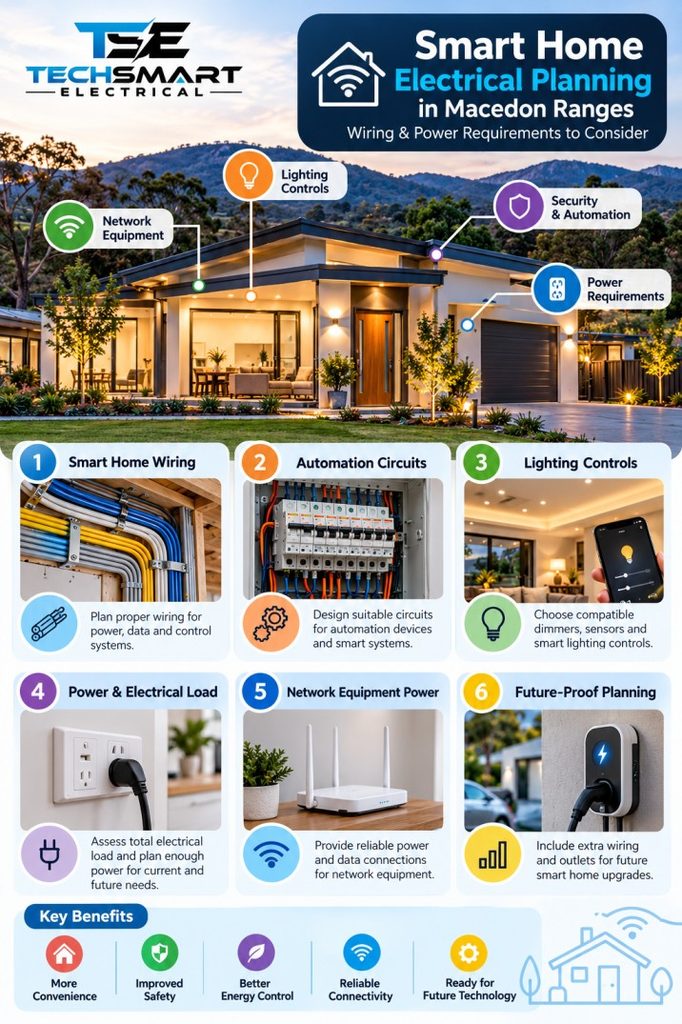
A smart home can have excellent electrical wiring and still perform poorly if its network is unreliable. Cameras may disconnect, voice assistants may respond slowly and wireless switches may become inconsistent when coverage is weak.
Network planning should therefore be part of the electrical discussion from the beginning.
A typical home network may include a modem or internet gateway, router, network switch and one or more wireless access points. Larger properties may also need wired connections to separate buildings or outdoor locations.
Consider the following when choosing equipment locations:
Some Macedon Ranges properties have long driveways, detached garages, sheds or outdoor entertainment areas. A single router inside the house may not provide reliable coverage across the entire site.
In these situations, the solution may involve strategically placed access points, suitable outdoor network equipment or a dedicated data connection to another building. The right design depends on distances, obstructions, interference and the available network infrastructure.
A wired connection to an outbuilding may be more dependable than expecting a weak indoor Wi-Fi signal to cover the distance. The connection method must be selected with electrical safety, surge protection and the building-to-building installation conditions in mind.
If internet access, security monitoring or remote access is important during short power interruptions, discuss whether selected network components should be supported by an appropriately sized uninterruptible power supply (UPS).
A UPS can keep compatible equipment running for a limited period, but runtime depends on its capacity, battery condition and connected load. It does not guarantee that the internet service itself will remain available during an outage.
Future-proofing does not mean predicting every new smart device. It means making reasonable provisions so that future changes can be completed with less disruption.
For homeowners renovating or building, this can be one of the most valuable parts of the electrical planning process.
Depending on the property and intended technology, discuss:
These provisions should be based on realistic needs. Empty conduits, for example, are only useful if their routes, capacity, accessibility and separation requirements make future cable installation practical.
Smart home technology changes over time. A product purchased today may not support every future device or platform.
Before selecting a system, check whether it supports the devices you already own, whether it can operate locally, what happens if the manufacturer ends cloud support and how easily components can be replaced.
Avoid building the entire home around a single proprietary device without understanding the consequences of losing access to its app or service.
A well-planned installation should make routine maintenance possible and avoid unnecessary dependence on one supplier wherever practical.
The right electrical professional should understand both conventional electrical installations and the requirements of connected home technology.
A smart home electrician Macedon Ranges homeowners engage should be able to explain how the electrical infrastructure supports the proposed automation, not simply install devices according to a shopping list.
When discussing a project, ask:
A qualified residential electrician Macedon Ranges homeowners consult should also explain any limitations discovered during an inspection. Older wiring, previous alterations and the condition of existing equipment can affect what is practical.
TechSmart Electrical can be mentioned as a potential point of contact for homeowners exploring smart home electrical planning. Before engaging any provider, confirm its current licensing, relevant experience, scope of services and suitability for your particular project.
A home in a newer subdivision may have convenient cable routes and a modern switchboard, while an older rural property may need additional assessment before smart devices are introduced.
For example, if a homeowner wants smart outdoor lights at a detached garage, the plan needs to account for the electrical supply, network connection, outdoor equipment suitability and control method. Simply purchasing a Wi-Fi light fitting may not solve a weak network signal or an unsuitable existing circuit.
An on-site assessment helps identify these issues before installation begins.
Many avoidable problems arise because homeowners choose products before checking their installation requirements.
Some switches require a neutral conductor, particular load conditions or a compatible control platform. Check these requirements before purchasing a complete set of fittings.
Brick walls, metal structures, long distances and other obstructions can weaken wireless signals. Assess network coverage and consider wired connections or additional access points where appropriate.
A phone app is useful, but it should not be the only convenient way to operate essential everyday functions. Plan suitable manual controls where the chosen system supports them.
Routers and switches need suitable power, ventilation and access. Placing them in an inaccessible cupboard without considering heat or connectivity can create avoidable problems.
A future EV charger, new air conditioner or electric appliance may affect the installation’s overall demand. Mention foreseeable additions during the initial assessment.
Different products use different communication protocols, control methods and compatibility requirements. Confirm that devices work together before committing to a complete system.
During construction or renovation, confirm switch positions, data outlets, cable routes and controller locations before wall linings are completed. Changes are generally easier to coordinate while the relevant areas remain accessible.
A few practical steps can make the finished installation easier to operate and maintain.
Create a room-by-room schedule.
List each planned device, its power source, control method and network requirement. This gives the electrician and technology installer a shared reference.
Keep a record of the installation.
Retain circuit schedules, equipment manuals, network layouts and details of the installed controllers. Accurate records help future electricians troubleshoot faults and make changes safely.
Test real-world scenarios.
Before signing off on the system, test everyday functions such as entering the house after dark, operating lights without internet access and restarting network equipment after a power interruption.
Separate convenience from essential functions.
Decide which features are optional and which are important to daily safety or access. A decorative lighting scene does not need the same priority as dependable access lighting.
Plan security carefully.
Change default passwords, enable appropriate account security and keep device software updated. Avoid exposing equipment directly to the internet unless the configuration is necessary and properly secured.
Confirm compliance before work begins.
Electrical work must be performed by appropriately licensed professionals in accordance with applicable Victorian requirements and relevant Australian Standards. Homeowners should not undertake work on mains wiring themselves.
These steps help make Smart Home Automation in Macedon Ranges a practical improvement to everyday living rather than a collection of disconnected gadgets.
Successful smart home planning starts with the electrical infrastructure, not the devices. The right combination of smart home wiring, suitable circuits, compatible lighting controls, reliable network connections and realistic load assessments can help create a home that is convenient today and adaptable tomorrow.
For homeowners considering Smart Home Automation in Macedon Ranges, the most important step is to define how the technology should work in everyday life, then have the electrical and network requirements assessed before installation begins.
TechSmart Electrical is a brand homeowners can consider contacting to discuss their smart home electrical requirements. Before proceeding, confirm the provider’s current licensing, relevant experience and suitability for the work you need.
A well-planned smart home should be easy to use, safe to maintain and flexible enough to accommodate future changes. Investing time in the planning stage helps you achieve those outcomes without making the system more complicated than necessary.
Start by listing the functions you want, such as automated lighting, security cameras, smart blinds or voice-controlled devices. Then check the electrical supply, switch compatibility, network coverage and control requirements for each device.
If you are renovating, plan cable routes, switch locations and data outlets before the walls are finished. This gives your electrician more options and helps prevent avoidable changes later.
Not every smart home requires completely new wiring. Some wireless devices can use existing power points or compatible switches, while other systems need neutral conductors, dedicated control wiring, data cabling or additional circuits.
The requirements depend on the equipment and the existing installation. An inspection by a qualified electrician can establish which parts of the wiring can be retained and which changes are necessary.
Yes, some systems can continue running local schedules, switches and sensor-based automations without an internet connection. Other features, particularly remote access and certain voice assistants, may depend on cloud services.
Before choosing a platform, ask which functions operate locally and which stop working when the internet is unavailable. Test manual controls and important everyday functions before considering the installation complete.
Consider spare conduits, additional data outlets, suitable switchboard capacity and accessible power for network equipment. If you expect to add an EV charger, outdoor security equipment or automated blinds, discuss those plans during the initial electrical assessment.
You do not need to install every device immediately. Preparing sensible cable routes and connection points can make later upgrades easier, provided the provisions are suitable for the intended use.
Look for an appropriately licensed electrician who understands residential electrical systems, smart control compatibility, circuit design and the practical requirements of network-connected devices.
Ask about previous projects, the proposed wiring arrangement, manual controls, future expansion and the documentation supplied after installation. For an older or rural property, an on-site assessment is particularly useful because the existing wiring, outbuildings and network coverage may affect the design.
Techsmart Electrical is a locally owned company serving Melbourne and the surrounding areas. As leading specialists for commercial, industrial and residential electrician services, we prioritize customer satisfaction.


We are preferred electricians for Beacon Lighting and with that comes many bonuses for our customers. By using Techsmart Electrical as your preferred electrician, we can provide you with up to 20% off RRP of everything in store at Beacon Lighting, extended warranties on certain items and even free lighting design consultations.
Our team works closely alongside our home store in Taylors Lakes to deliver the best possible outcome for all installations. From installing one ceiling fan to wiring an entire home, Techsmart Electrical provides 100% satisfaction guarantee.
Contact us today to arrange your next installation.
Techsmart Electrical has always provided dependable and cutting-edge electrical contracting services and installations. Our qualified electricians offer services that are intended to support Melbourne businesses in growing and to give homeowners complete peace of mind.
It is entirely up to you where you want more power outlets in your home. Techsmart Electrical can install them wherever you need them. It's possible that all you need is to change your power outlets, which is a regular request. Even your outdated power sockets can be replaced with fresh models by our team in order to give your house the finishing touches.
With several years of experience, Techsmart Electrical’s licenced electricians can design and install any power point system, whether it's for a newly constructed home or an existing one. Call us and schedule a time for your power socket installation.












Techsmart Electrical is a Melbourne based electrical company. We understand the importance of top-quality workmanship, service and safety. With a professional approach, we are always ready to provide you with Master Electricians to deliver prompt electrical services for any situation.